How do I play?
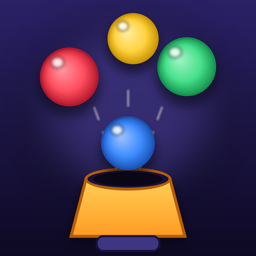
Balls fall towards the hoses at the bottom. Tap a column to switch on the hose sitting there: it pulls in balls of its own colour. Let a wrong ball or a stone reach the floor and you lose a heart. Tap the strip on the right to fire your charged power-up or switch the pump off.
What are boosters?
Boosters such as Undo, Extra, Bomb or Mega Hose unlock as you travel the map. Tap one in the bar under the arena to use it. You get some for free when they unlock, earn coins by winning levels, and can get more in the shop or by watching an optional video.
How do I remove the ads?
Open the shop (the coin counter on the map) and buy “No Ads”. It is a one-time purchase that removes the banner and the ads between levels. Optional reward videos (a free booster, a continue, double coins) stay available because you choose them.
I bought “No Ads” on another device or reinstalled the game.
Tap the gear on the map and choose “Restore purchases”, signed in with the same Apple Account. “No Ads” comes back; coins and boosters are used up when you spend them and cannot be restored.
How do I change the language?
Tap the gear on the map, then choose your language. The game follows your device language the first time it starts.
Where is my progress saved?
On your device. There is no account. If you delete the app, your progress, coins and boosters are deleted with it.
How do I change my ad privacy choices?
Tap the gear on the map and choose “Privacy options” (shown where Google’s consent message applies). On iPhone and iPad you can also change tracking permission in Settings › Privacy & Security › Tracking.
Something does not work.
Write to beratseyhan@icloud.com with your device model, iOS version and what happened. We usually answer within a few days.